Running a workflow
Start a run, approve steps, redo work, and resume.
Starting a run
Press Run on a workflow in the Workflows list. Fill in the inputs, pick a repository if the workflow has no default, and choose where the run works.
| Placement | Use it when |
|---|---|
| New worktree | You want the run isolated from your other work. This is the usual choice. |
| Repo root | The run needs the existing checkout. |
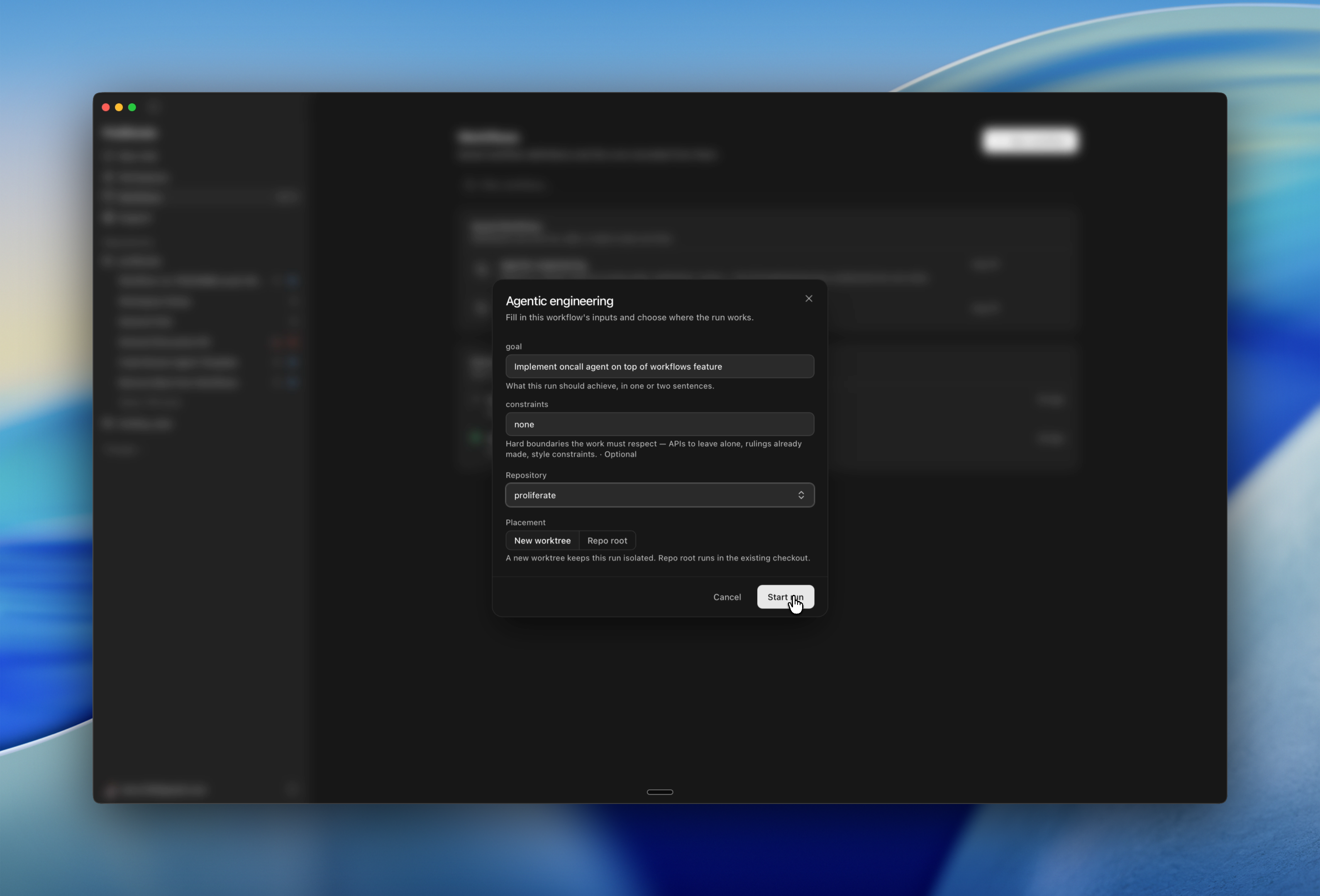
Proliferate creates the workspace, writes the context documents, and starts the first step.
Watching a run
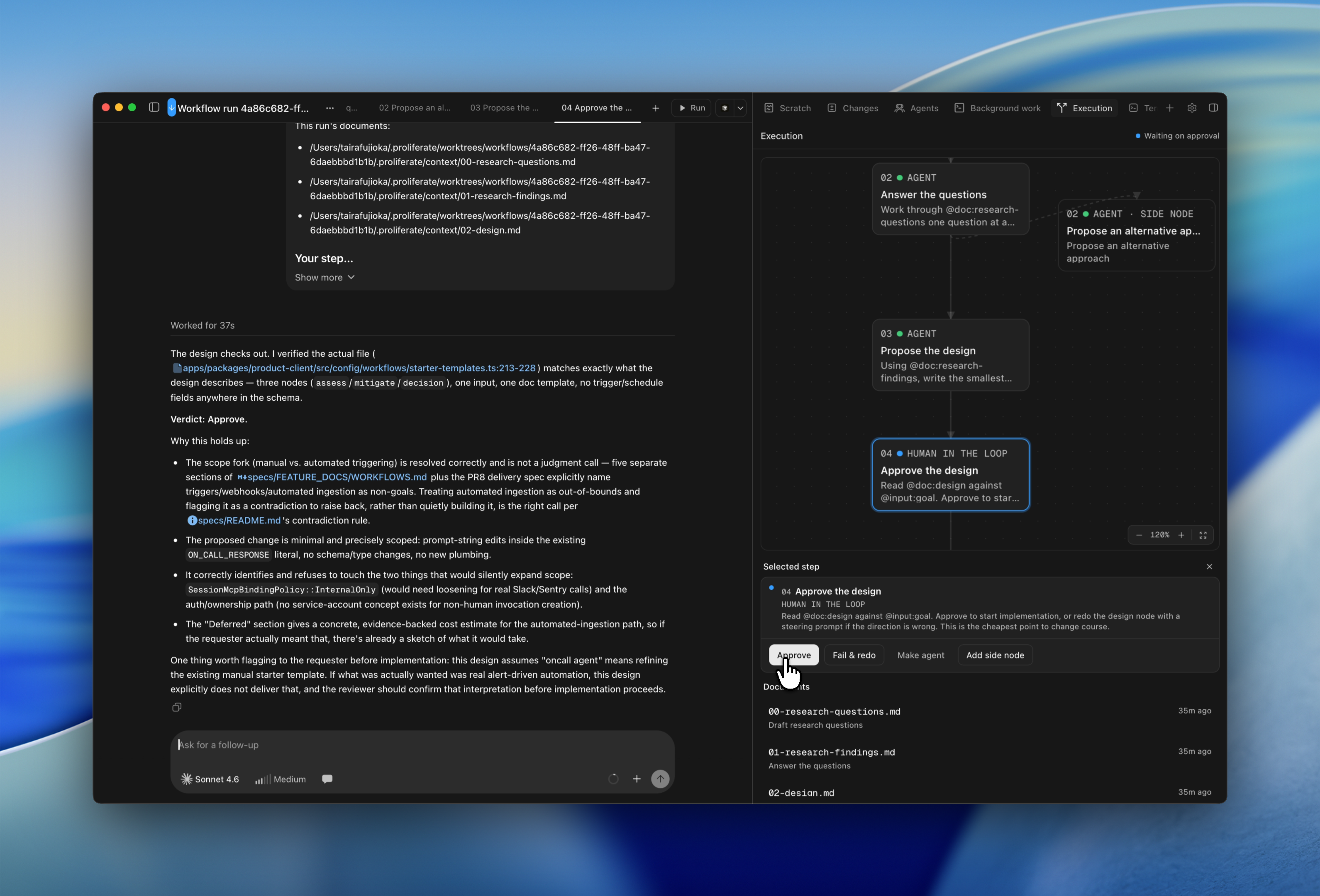
A run lives in its workspace, in the Execution panel on the right. The graph shows every step with its number and state; the inspector below shows whichever card you select.
Each agent step has a real session in the workspace, titled with its chain
position (03 Implement). Open it and chat with the agent like any other
session.
Documents appear under Documents as steps write them.
The header shows the run's own state:
| State | Meaning |
|---|---|
| Running | A step is working. |
| Waiting on approval | A human step, or a step that requires approval, is holding the run. |
| Paused | The run was interrupted and advances nothing until you resume. |
| Succeeded | The last step finished. |
| Failed | A step failed and was not redone. |
When one step finishes and the next starts, a toast tells you which is which and offers Undo to put the run back on the finished step.
Approving and redoing
Steps that hold the run are marked Needs input and get two actions.
- Approve releases the run to the next step.
- Fail & redo fails the step and starts a fresh attempt in its place. Edit the prompt first to steer the retry, or leave it as written.
You can also flip a step's kind mid-run — Make gate turns an agent step into an approval stop, Make agent does the reverse.
Side nodes
Add side node runs an extra prompt alongside the chain, anchored to the step you picked. It does not replace that step and does not block it. Use one for a question that comes up mid-run without derailing the run itself.
Pausing and resuming
A paused run does nothing until you resume it. Restarting Proliferate leaves paused runs where they are; a popover lists them so you can pick them back up.
If an action lands after the run has already moved, Proliferate says so rather than applying it. The panel then catches up to the run's real state.