Workspaces
A workspace is one repository, one branch, and one active execution target, with sessions, terminals, browsers, and review attached to it.
A workspace is one repository, one branch, and one execution target.
It is not one runtime. A single runtime serves many workspaces: on your machine, one AnyHarness runtime backs every local checkout and worktree. What moves through the lifecycle is the workspace's checkout, not the runtime behind it. See lifecycle & storage.
Pick a target
You choose where a workspace runs when you create it, from the same picker you use to start a chat. That is the only place the choice lives.
| Target | Use it when |
|---|---|
| Local checkout | The agent should work directly in an existing repo. |
| New worktree | You want a clean branch and working tree for one reviewable stream of work. |
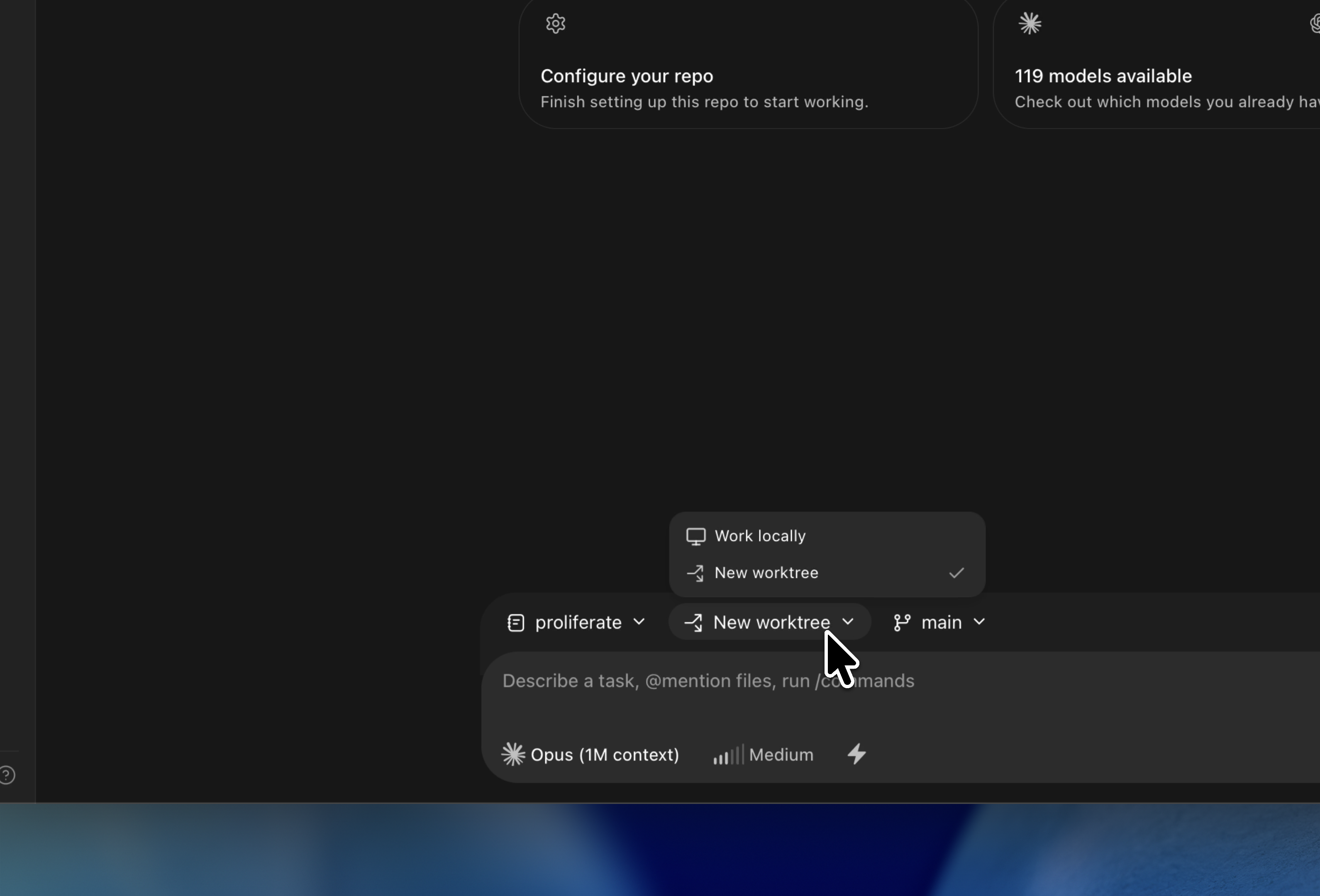
Cloud workspaces are coming soon and are not selectable yet.
A workspace stays on the target it was created with. To move a branch, publish it and open a new workspace against it.
Find it in the sidebar
Every workspace appears in the sidebar, marked with its target and with who created it — you, a workflow, or another agent.
What's inside
- Agent sessions and chats.
- Terminals.
- A browser or preview surface, if the repo has a runnable app.
- A file browser, scoped to that checkout.
- Git review and pull request status.
Worktrees isolate branch and workflow state. They are not a security boundary.
Go deeper
Isolated workspaces
What a workspace is, what isolation buys you, and how one is created.
Setup & action scripts
Teach Proliferate how to install, generate, and run your repository.
Lifecycle & storage
Creating, archiving, pruning, and deleting a workspace.
Parallel agents
Run agents side by side across workspaces, or delegate inside one.