Claude Code
Run Claude Code inside Proliferate workspaces with modes, plan approval, goals, and subagents.
Claude Code runs through Anthropic's own agent adapter, so you get Claude's native behavior with Proliferate's workspace lifecycle and review surface around it.
This page covers what that native behavior looks like here: permission modes, plan approval, goals, and subagents.
Supported functionality
| Capability | Support |
|---|---|
| Repository workspaces | Run against a local checkout or a fresh worktree. Cloud workspaces are coming soon. |
| Permission modes | Switch between Claude's own modes, from step-by-step approval to full autonomy. |
| Plan approval | Approve a proposed plan in the transcript before any files change. |
| Goals | Hand Claude a standing objective it pursues across turns, tracked in a goal bar. |
| Subagents | Spawn native Task agents in a session, or delegate to a separate session. |
| Chrome | Let Claude drive your Chrome browser on Local runs. |
| Credentials | Sign in with your Claude account, bring an Anthropic API key, or route through the Proliferate Gateway. |
Modes
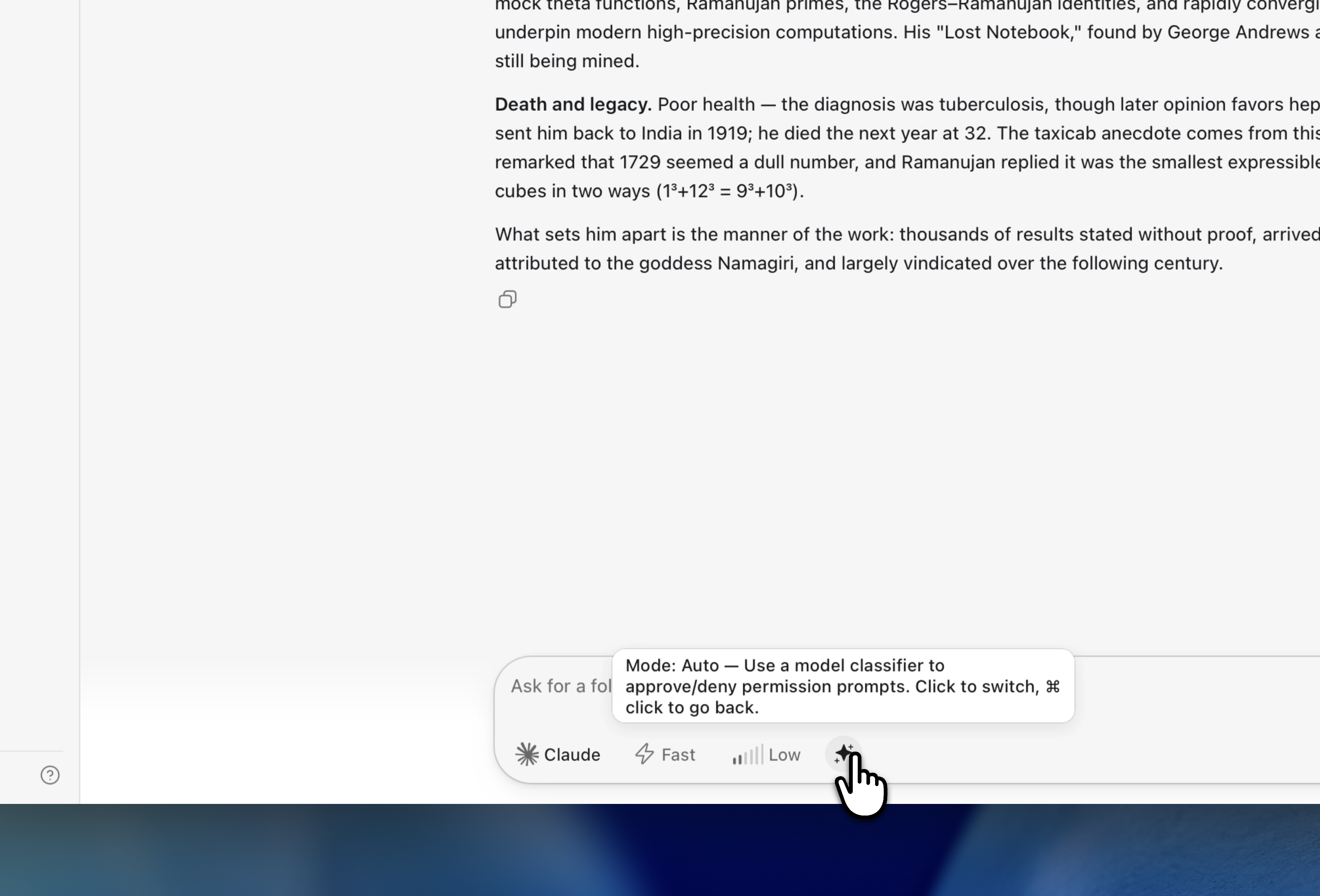
Claude's Permissions control sets how much it does before asking. Switch it from the picker in the composer at any point in a session.
| Mode | Behavior |
|---|---|
| Default | Claude prompts before dangerous operations, like running commands, rather than stopping for every edit and command. |
| Accept Edits | Claude applies file edits without asking, and still pauses for riskier actions. |
| Auto | A model classifier approves or denies each permission prompt for you. |
| Plan | Claude works out an approach and posts it for approval before touching anything. |
| Don't Ask | Claude stops prompting: any action that wasn't already pre-approved is denied rather than run. |
| Bypass | Full autonomy: Claude runs edits and commands with permission checks skipped. |
Which modes appear depends on the model; Haiku, for one, has no Auto. Start in Plan or Default when you want a checkpoint, then move to Accept Edits or Bypass once you trust the direction.
Two controls sit beside the Permissions picker. Reasoning effort trades speed for depth, and Fast mode favors a quicker response. Both depend on the model.
Plan mode and plan approval
In Plan mode, Claude works out its approach before touching any files and posts the plan as a card in the transcript instead of jumping into changes. The card shows an Awaiting approval chip and two buttons: Reject, if the direction is wrong, and Approve, if it's ready to run.
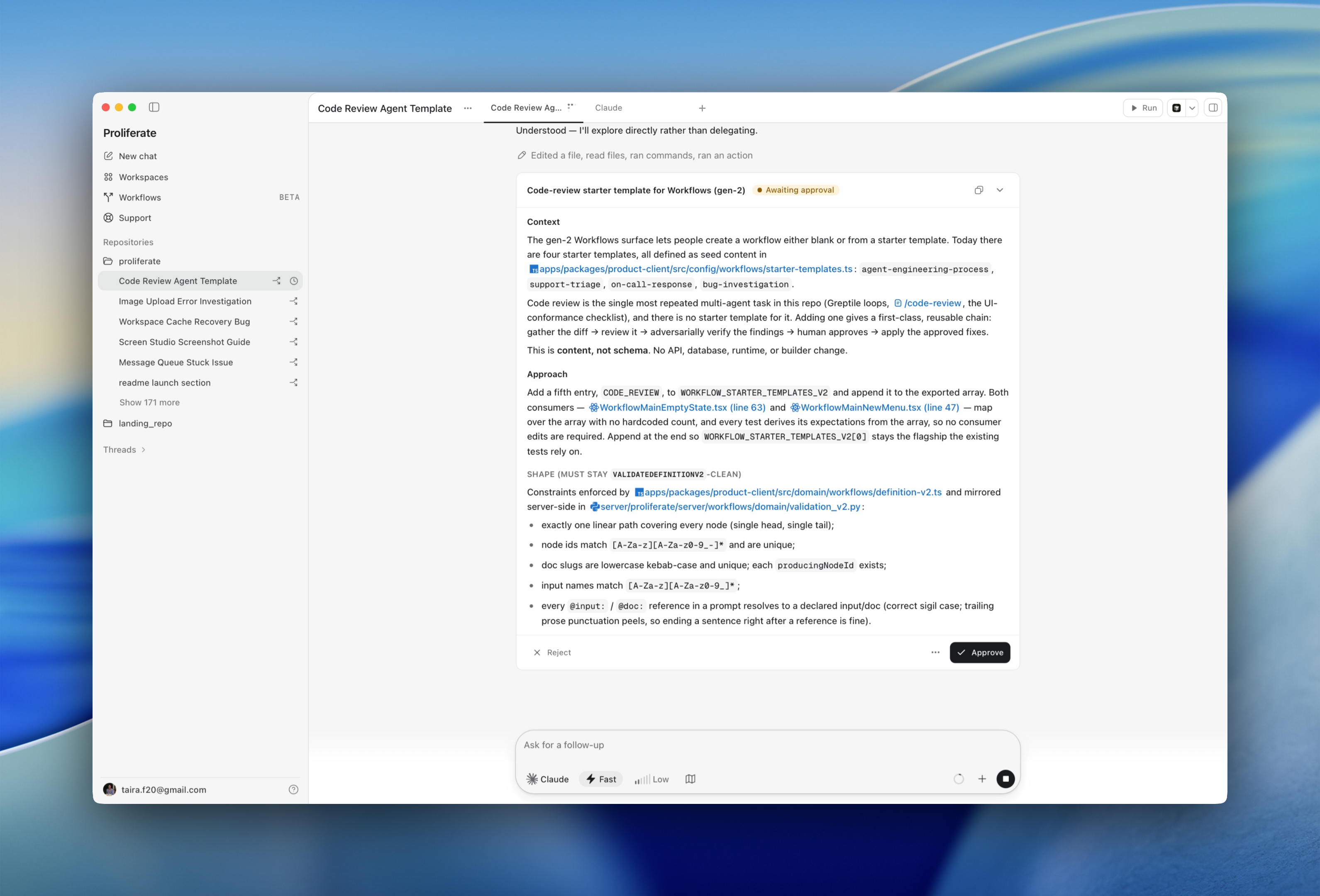
Read the plan here. Does it touch the right files, does it skip a migration or a test, is it solving what you asked for. Rejecting sends Claude back to rethink.
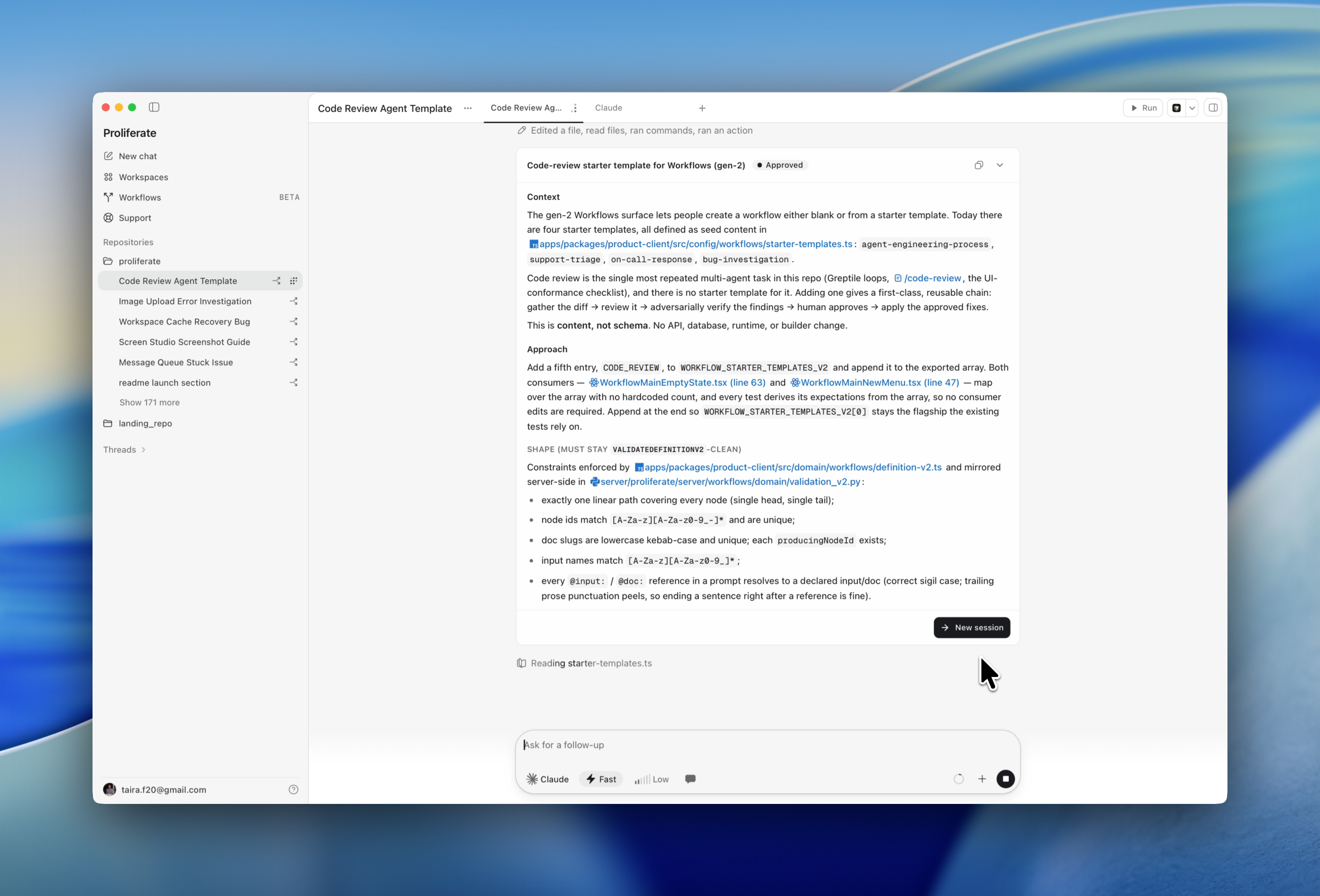
After approval the chip flips to Approved and Claude implements in the same session. New session is an optional hand-off to a fresh session instead. Run here appears only as a fallback when native continuation fails.
Goals
A goal is a standing objective Claude pursues across turns using its own goal engine. Proliferate mirrors that state, so the goal bar shows what Claude is actually working toward.
Set one from Set a goal in the composer. While it is live, a bar above the composer reads Pursuing goal with the objective and controls to edit or clear it.
Claude counts its work against a token budget as it iterates. When the goal is met, blocked, or stopped the bar becomes a sticky result; expand it for the reason and usage. Each transition drops a quiet row into the transcript.
Subagents
Claude spawns its own Task agents inside a session. They show up in the activity roster and stay inside the parent session.
For a separate Proliferate session with its own tab, receipts, and Wake, use a delegated session. See Parallel agents.
Chrome
Claude can drive your Chrome browser. Turn on Use Claude Code with Chrome under Settings → Agents → Claude. Local runs only, off by default, and it needs the Claude Code Chrome extension installed.
Authenticate
Under Settings → Agents → Claude: CLI login uses your existing Claude
login, and Authenticate appears if claude /login is needed. API key
takes your own Anthropic key or one from your vault. Proliferate gateway is
the managed route.
See authentication.