Artifacts
Agents can present anything- a file, a React component, a working demo. Proliferate renders it natively.
Artifacts let agents present you with renderable content inline- not just code or text in a transcript.
When an agent produces an artifact, Proliferate renders it natively in the Cowork artifact panel. You see what the agent built, in its real form, in the same place you're talking to it.
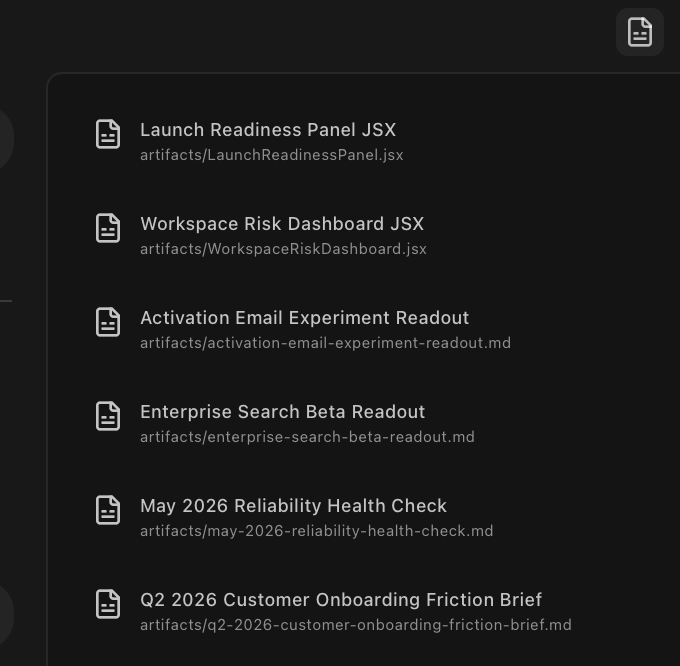
Supported artifact types
Proliferate renders four kinds of artifacts:
- Markdown- formatted prose with links, lists, and inline code.
- HTML- arbitrary HTML, with link and error handling wired through to the workspace.
- SVG- vector graphics, sanitized at render time.
- React components- interactive JSX, compiled at runtime and run in a sandboxed iframe with a curated library registry.
Anything else (PDFs, images, JSON, binary files) is offered as a download.
Interactive React artifacts
React artifacts are the interesting case. Agents can ship working demos- not screenshots, not pseudo-code- and you can click through them to verify the idea before committing to an implementation.
Each React artifact runs in its own sandboxed iframe with React 19 and a curated set of libraries available by ESM import. The agent declares its imports; the runtime validates them against the registry before compiling.
Pinning and comparing
Artifacts can be pinned to the workspace, so they survive across thread runs and sit alongside whatever else you're comparing. Useful for "show me three approaches"- pin the first, ask for the second, pin that, and decide.
Sandboxing
React and HTML artifacts run inside a sandboxed iframe. By default they have no network access. If an artifact needs to fetch data, you'll see a permission prompt before it runs.
The sandbox is an isolation boundary, not a full security boundary. Treat artifacts the way you'd treat any code an agent produced- if it does something unexpected, read the source before trusting it.
Common uses
- Quick visual demos of a UI change before committing to the full build.
- Diagrams generated from data the agent already pulled.
- Inline previews of generated docs, READMEs, or release notes.
- A/B comparisons between approaches.
- Rendering structured data the agent produced (tables, charts).